Boost Average Order Value in 7 Days With Smart Bundles
By Fusion Lister Team
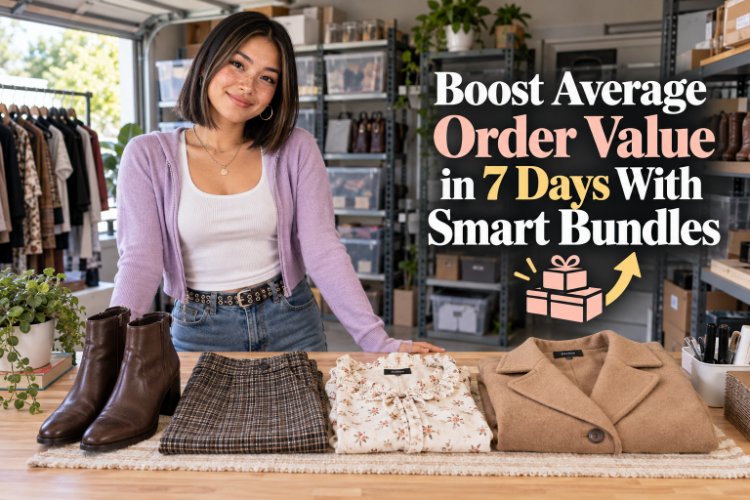
Increase your reselling revenue this week by getting buyers to add one more item to every order with simple, marketplace-specific bundle strategies.
If you want more money in your reselling business this week, you have two options: sell more items, or make more on every order. The fastest win is usually the second one.
Smart bundles let you increase your average order value (AOV) without finding more buyers. You’re simply helping the buyers you already have add one more item to their cart. In a multi-marketplace world (eBay, Poshmark, Mercari, Depop, Facebook Marketplace), bundles look a little different on each platform—but the goal is the same: bigger, better orders with less effort.
In this post, you’ll learn a simple, 7-day bundle plan you can run starting today, plus concrete examples you can copy and tweak for your own store.
Why Bundles Increase Sales So Quickly
When a buyer lands on your listing, you’ve already done the hard work: sourcing, photos, pricing, and getting them in the door. A good bundle strategy asks one simple question: “What else could they buy right now?”
Bundles boost your sales this week because they:
- Increase revenue per order — one buyer, two or three items.
- Move slow inventory — pair “meh” items with strong sellers.
- Reduce shipping cost per item — especially for clothing and small goods.
- Deliver better value — buyers love feeling like they got a deal on a complete “set.”
You don’t need a huge store to win with bundles. You need a clear plan for what pairs well, how to price it, and how to show it on each marketplace.
Step 1: Audit Your Inventory for Natural Bundles
Before you change any listings, spend 20–30 minutes finding bundle opportunities in what you already own. You’re looking for items that naturally go together in a buyer’s mind.
Look for these bundle-friendly groups
- Outfits and looks
- Top + bottoms in the same size and style (e.g., streetwear, office, athleisure).
- Dress + jacket or cardigan.
- Matching color stories that photograph well together.
- Same-size racks
- All women’s size 10 jeans, all men’s size L shirts, etc.
- Buyers in that size often want to grab multiple pieces at once.
- Multi-quantity and duplicates
- Same item in different colors or prints.
- Multi-packs of basics: tees, socks, uniforms, workwear.
- Accessory add-ons
- Belts, hats, scarves, jewelry, bags that pair with clothing.
- Cases, chargers, or controllers that pair with tech and gaming.
- Use-case kits
- “Gym starter kit”: leggings + sports bra + hoodie.
- “Dorm upgrade kit”: lamp + storage bins + small décor.
- “Hobby bundle”: craft tools + supplies, or game + expansion.
Lay a few of these groupings out physically or in a spreadsheet. Those are the items you’ll feature in your bundle push this week.
Step 2: Choose Your Bundle Discount and Rules
Your bundle offer needs to be simple enough to explain in one line. The goal is to give buyers a clear reason to add one more item without destroying your margins.
Simple bundle structures that work
- Percentage off bundles
- “Buy 2+, get 15% off.”
- “Buy 3, get 25% off the order.”
- Tiered savings
- “2 items = 10% off, 3+ items = 20% off.”
- Flat add-on pricing
- “Add any accessory to your order for $9.99.”
- “Add a second pair of jeans for $12.”
- Freebie-style bundles
- “Buy 3, get the 4th item free (lowest priced).”
- “Free accessory with any jacket.”
Run quick math on a few real examples: what will you actually net on a 2–3 item bundle after fees and shipping? If the margins work on those examples, you’re ready to roll it out across similar items.
Step 3: Set Up Bundles on Each Marketplace
Every platform has its own way of handling bundles. Use that to your advantage and lean into what each site already trains buyers to expect.
Poshmark: Lean into built-in bundle behavior
Poshmark buyers are already used to bundling. Your job is to make your bundle offer obvious:
- Add a line near the top of your description: “Bundle & save: 2+ items = 20% off. Create a bundle and I’ll send the discount.”
- Use your closet banner or about section to repeat your bundle policy.
- When someone likes an item, send an offer with a note like: “I offer 20% off bundles—feel free to add anything else you like and I’ll send a combined offer.”
- Create a few styled outfit photos (top + bottoms or dress + jacket) and mention in both descriptions that they pair well together.
eBay: Use multi-buy discounts and promotions
On eBay, buyers love clear, automatic savings:
- Set up multi-buy promotions (e.g., “Buy 2, get 10% off; buy 3, get 20% off”) on categories like shirts, jeans, or smalls.
- Use volume pricing on multi-quantity listings—perfect for basics, parts, or consumables.
- Add a short note in your description: “Interested in multiple items? I combine shipping—message me for a custom bundle.”
- Highlight “save on shipping with multiple items” in your item specifics or shipping section where possible.
Mercari: Highlight add-ons in your description
Mercari doesn’t push bundles as hard as Poshmark, so you need to spell it out:
- Add a line to descriptions: “Bundle & save: I offer discounts and combined shipping when you buy 2+ items. Message me to create a custom bundle.”
- Use similar cover photos and titles for bundle-able items so buyers recognize related pieces.
- Respond quickly to messages asking about multiple items and be ready with a simple discount structure (for example, 15% off 2+ items).
Depop: Sell the aesthetic, not just the items
Depop buyers are shopping for a look or vibe. Use that to build visual bundles:
- Photograph outfits and tag each piece in separate listings.
- Mention specific pairing ideas: “Looks great with the black cargo pants in my shop—bundle for a discount.”
- Use style tags and keywords consistently across items in the same “collection” (e.g., Y2K, techwear, cottagecore).
- Put your bundle policy in your bio: “Bundle 2+ items for 20% off—DM to combine.”
Facebook Marketplace: Think local lots and sets
On Facebook Marketplace, bigger bundles and local lots often shine:
- Create lot listings for kids’ clothing, toys, home goods, and seasonal décor.
- Offer small add-ons in the description: “Ask about adding more size 6–7 girls’ items to this bundle for a discount.”
- Mention that you’re open to multi-item pickups to save buyers time.
Across all marketplaces, keep your bundle language consistent so buyers know exactly what to expect wherever they find you.
Step 4: Use FusionLister to Build Bundles Faster
Bundles are powerful, but they can be time-consuming if you’re editing every listing manually on every site. This is where using a crosslisting tool like FusionLister pays off in the same week.
Here’s how to streamline your bundle push with FusionLister:
- Create one strong template for your bundle message (for example, “Bundle & save: 2+ items = 20% off. Message me for a custom bundle.”) and reuse it across descriptions.
- Duplicate similar listings (like jeans in different washes or tops in multiple colors) so your bundle-able inventory is live everywhere without retyping.
- Sync pricing across platforms so your bundle math is consistent and you’re not undercutting yourself on one marketplace.
- Crosslist your best bundle candidates first: if three items make a perfect outfit, make sure all three are live on every platform you sell on.
In one focused session, you can refresh descriptions, add consistent bundle language, and push those listings to eBay, Poshmark, Mercari, Depop, and Facebook Marketplace—without rebuilding them one by one.
Step 5: Run a 7-Day Bundle Sprint
To actually see results this week, treat bundles like a short, intense sprint. Here’s a simple plan you can follow:
- Day 1–2: Identify and list bundle items
- Audit your inventory for natural bundles.
- Photograph outfits, sets, and lots.
- List or crosslist those items first, using consistent bundle language.
- Day 3–4: Promote your bundle offer
- Update your bios/closet banners with your bundle policy.
- Share outfit photos on social if you use Instagram or TikTok for your shop.
- Message interested buyers or likers to remind them about bundle discounts.
- Day 5–6: Nudge existing interest
- Send offers to likers/watchers with a note about extra savings on bundles.
- On Poshmark, build bundles for buyers who liked multiple items and send a custom discount.
- Day 7: Review and adjust
- Check how many orders included more than one item.
- Note which bundle types worked best (outfits, lots, accessories).
- Keep the strongest bundle policy as your new default going into next week.
Track Your Average Order Value (Even If You’re Small)
You don’t need complex tools to measure whether your bundle push is working. For one week:
- Write down each order, the number of items, and total sale price.
- Divide total revenue by total orders to get your AOV.
- Compare this week’s AOV to a normal week.
Even one or two extra multi-item orders can make your numbers jump. That extra profit can go straight into better inventory, shipping supplies, or paying yourself a little more—without needing more buyers.
Next Steps: Turn Bundles Into Your New Normal
Bundles aren’t just a one-week trick; they’re a simple habit you can build into your listing and crosslisting process. Any time you list a new item, ask:
“What would someone naturally buy with this?”
- If there’s an obvious match, photograph and list it at the same time.
- Add bundle language to your description and bio by default.
- Use FusionLister to crosslist both pieces to all of your marketplaces in one go.
Over time, you’ll train your buyers—and the marketplaces—to expect well-priced, well-presented bundles from your shop. That means higher average order value, faster inventory turnover, and more profit for the same amount of traffic.
Want to make this week’s bundle sprint even easier? Start by crosslisting your best bundle candidates to every marketplace you sell on. The more eyes on those sets and outfits, the more chances you have to turn one interested buyer into a multi-item order.