The Reseller Photo Playbook for 2026
By Fusion Lister Team
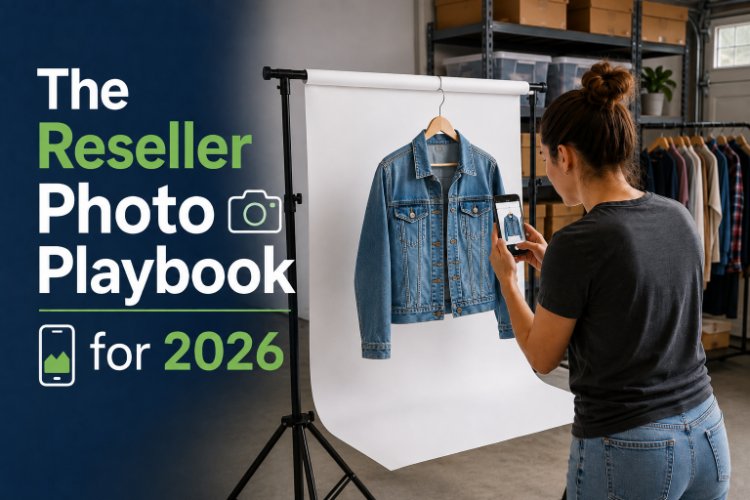
Upgrade your listing photos for eBay, Poshmark, Mercari, Depop, and Facebook Marketplace with an easy, repeatable photo system built for busy resellers.
Your photos do more selling than your descriptions ever will. Before a buyer reads a single word, they decide in about three seconds whether your item is worth a click.
Great photos aren’t about expensive cameras or studio lights—they’re about a simple, repeatable system you can run every week without burning out. In 2026, that system needs to work across eBay, Poshmark, Mercari, Depop, and Facebook Marketplace. Use this reseller photo playbook to uplevel your images, speed up your workflow, and get more clicks (and sales) from the inventory you already have.
Step 1: Build a Simple Home Photo Setup
You don’t need a studio. You do need a consistent space that lets you shoot quickly without reinventing the wheel each time.
Non-negotiables for your setup:
- Good light: Natural light near a window is ideal. Shoot during the same time of day when possible (late morning or early afternoon are usually best).
- Neutral background: A plain wall, a roll of white paper, or a simple backdrop. Avoid busy textures or bold colors that compete with the item.
- Stable phone mount or tripod: So your photos are level, sharp, and consistent from item to item.
Optional but nice-to-have:
- A small ring light or softbox for cloudy days.
- A flat-lay surface (table, desk, or clean floor) for clothing and small items.
- One or two props you use consistently (like a plant or hanger) to create a recognizable look.
Set this up once and leave it ready. The less you have to “get ready” to shoot, the more often you’ll actually do it.
Step 2: Use a Core Shot List for Every Item
Instead of guessing which photos to take each time, use a standard shot list. This keeps your listings consistent and makes crosslisting much easier.
A solid core shot list:
- Cover photo: Clean, straight-on shot of the full item.
- Back view
- Close-up of the brand label or tag
- Close-up of size/material tag (for clothing) or model/serial (for electronics and gear).
- Detail shot: interesting textures, logos, or features.
- Flaw shot: any obvious wear, scuffs, or damage, clearly lit.
For smaller items, 5–7 photos is usually enough. For higher-value or more complex items, aim for 8–12.
Why a shot list wins:
- You train your brain and body to move in the same sequence each time, so shooting goes faster.
- Buyers know exactly what to expect from your store, which builds trust.
- When you crosslist, you can pick and choose the best shots for each platform from the same set.
If you’re still dialing in your listing basics, pair this with “Reselling Made Easy: How to List Items That Sell” for a full-picture listing strategy.
Step 3: Match Your Photos to Each Marketplace
The same buyer might shop on eBay, Poshmark, Mercari, Depop, and Facebook Marketplace—but they don’t scroll the same way everywhere. Your core photo set should be flexible enough to look great on each platform.
eBay
What works best:
- Clear, information-dense images.
- Front, back, tag, and flaw shots on a neutral background.
- Accurate color and true representation of wear.
Tips:
- Lead with your cleanest, most representative front shot.
- Make sure any flaws are clearly visible in at least one close-up.
- Keep backgrounds minimal so buyers can zoom in on details.
Poshmark
What works best:
- Square images that pop in the feed.
- Bright, well-lit cover photos.
- Occasional styled shots (flat lays, outfits) that fit your brand.
Tips:
- Crop your main image square with extra padding around the item.
- Use consistency: same hanger, backdrop, or flat-lay style so your closet feels cohesive.
- Add at least one shot that shows how the item fits or could be styled (even if it’s on a hanger, not a model).
Mercari
What works best:
- Clear, bright photos with visible tags and labels.
- Quick “at a glance” understanding of condition.
- Minimal but complete sets.
Tips:
- Lead with a bright front shot that fills the frame.
- Make sure at least one photo shows the tag and the material/size clearly.
- Don’t overcomplicate it—buyers want assurance they’re getting what they expect.
Depop
What works best:
- More creative and lifestyle-driven images.
- On-body or styled shots that match the Depop aesthetic.
- Interesting angles, textures, and backgrounds—while still keeping the item clear.
Tips:
- Re-use your neutral core shots, but add one or two creative shots that feel more editorial.
- Stay on-brand; don’t chase every trend. Let your style be recognizable.
- Use natural light and avoid heavy filters that distort the item’s true color.
Facebook Marketplace
What works best:
- Wide shots that show scale and context.
- Extra angles for furniture, bulky items, or anything local pickup.
- Realistic, no-surprises representation.
Tips:
- Include at least one shot that shows size next to a familiar object or in a room.
- For clothing or smaller items, your regular core shots usually work fine.
- Make sure any flaws or wear are obvious to prevent back-and-forth with buyers.
This is where crosslisting tools shine: you can start from the same photo set and quickly adjust cover images and cropping per platform instead of re-uploading and rethinking from scratch.
Step 4: Create a Fast, Repeatable Photo Workflow
Even great photos won’t help if taking them feels like a chore. The key is to batch each part of the process.
A simple weekly photo workflow:
- Prep day: Pull and clean 10–30 items. De-lint, steam, wipe, or spot-clean as needed. Hang or fold them in shooting order.
- Shoot day: In one focused block (even 45–60 minutes), run each item through your core shot list. Don’t stop to check every shot; keep momentum.
- Edit batch: Later, sit down and quickly adjust brightness, crop, and straighten for all photos from that session.
- Upload & organize: Store edited photos in folders or albums by SKU or custom label so you can find them fast when listing or crosslisting.
Keep editing simple:
- Adjust brightness and contrast so the item looks true to life.
- Straighten horizons and crop out distractions.
- Avoid heavy filters or color changes—buyers want accuracy more than aesthetics.
If you like working in short bursts, pair this with a dedicated “Reseller Power Hour” for listing and crosslisting so your fresh photo sets turn into live listings quickly.
Step 5: Make Photos Work Harder Across Platforms
Once you have strong core images, make them do more for you—especially when you’re crosslisting to multiple marketplaces.
Ways to squeeze more value from each photo set:
- Consistent cover style: Use similar framing and backdrop for all cover photos so your brand is recognizable wherever buyers find you.
- Reuse for social: Turn your best detail or styled shots into quick posts or reels to drive traffic back to your listings.
- Relist with refreshed crops: When you relist or crosslist older inventory, try a slightly tighter crop or different cover image to catch more eyes.
Crosslisting tools like FusionLister help here by letting you start from one strong listing and duplicate it across eBay, Poshmark, Mercari, Depop, and Facebook Marketplace—so your best photos are working everywhere, not just on one platform.
Step 6: Fix the Most Common Photo Problems Fast
If you’re not ready to overhaul your entire system, start by fixing a few high-impact issues that might be costing you sales right now.
Quick photo fixes to make this week:
- Too dark? Re-shoot your 10 best items in better light. Prioritize your highest-value inventory.
- Cluttered backgrounds? Switch to a plain wall or poster board and retire the busy bedspread or patterned rug.
- No flaw photos? Add one clear, close-up flaw shot to items that get questions or returns.
- Random cover photos? Update covers so every item leads with a clear, straight-on shot.
You don’t have to redo your whole store at once. Start with your top 10–20 items and work down the list as you have time.
Turn Better Photos Into Faster Sales
Strong listing photos aren’t just about looking professional—they’re about shortening the distance between “scrolling” and “sold.” When buyers can clearly see what they’re getting, where the flaws are, and why your item is worth the price, they move faster and ask fewer questions.
In 2026, the resellers who win aren’t always the ones with the biggest stores. They’re the ones who make every listing count—and then multiply that work by crosslisting smartly across platforms.
Dial in your photo setup, shot list, and workflow first. Then, when you’re ready to put those photos in front of more buyers without five separate listing marathons, let FusionLister help you list once, crosslist everywhere, and turn better images into better income.